
Household Goods Integrations
Vehicle Integrations
LTL Integrations
Title
Message
Create new category
What is the title of your new category?
Edit page index title
What is the title of the page index?
Edit category
What is the new title of your category?
Edit link
What is the new title and URL of your link?
LTL Status of Rate Acceptance
AI Tools
Summarize Page
Copy Markdown
Open in ChatGPT
Open in Claude
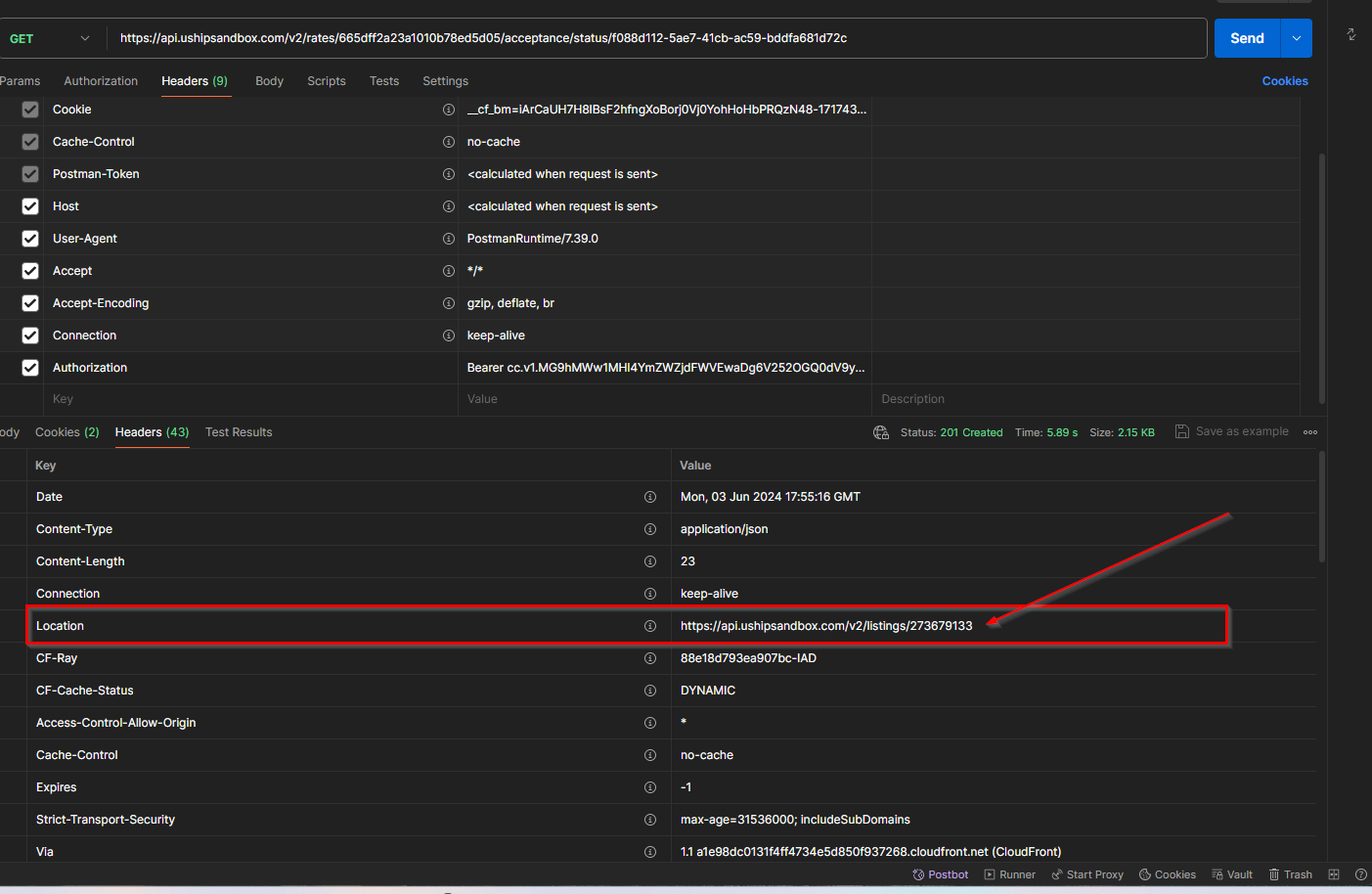
After successfully accepting a rate (202 Accepted Status) check the Response Headers under Location to retrieve the Acceptance Status URL.
Checking Acceptance Status
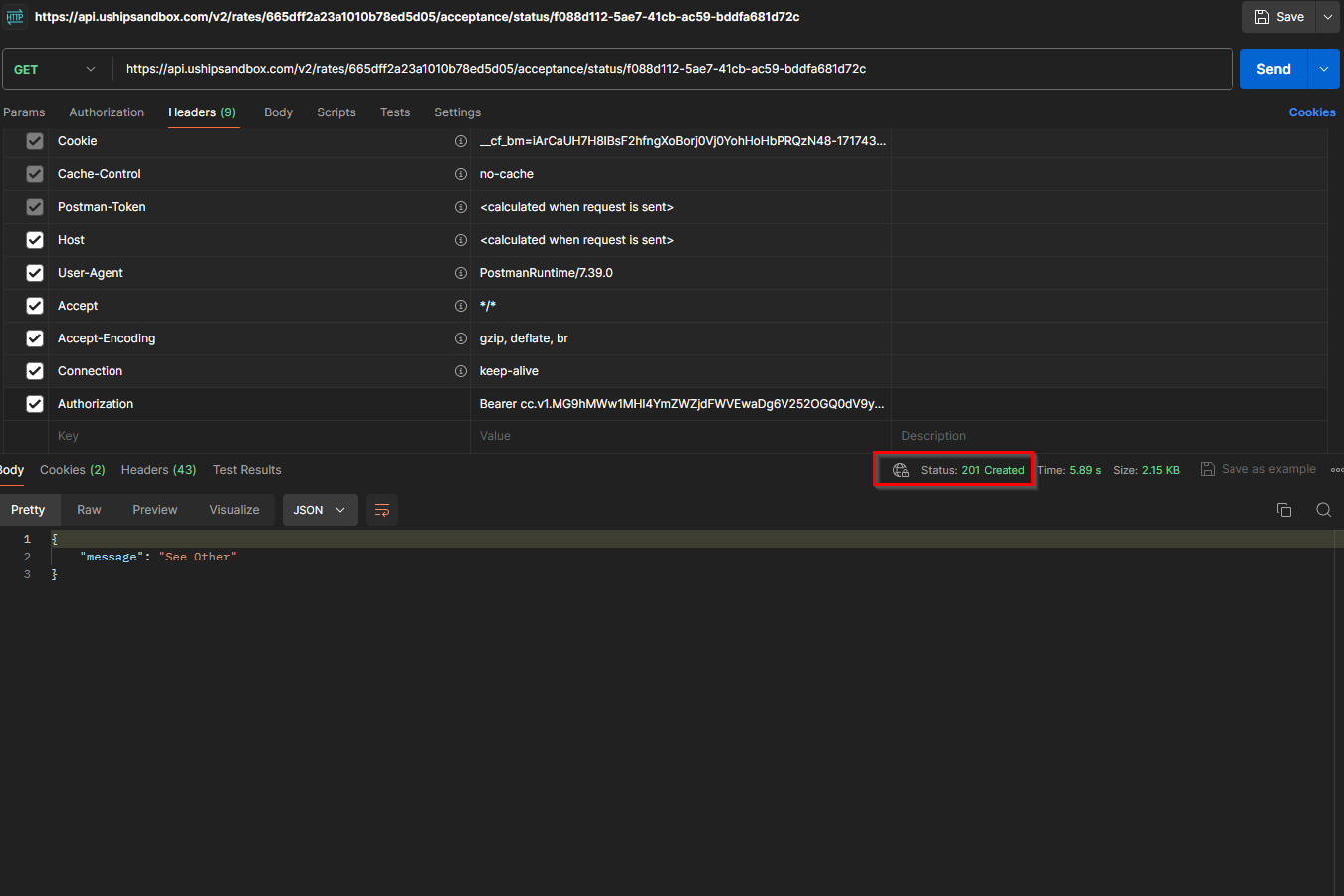
Take the URL provided in the response headers from Rate Acceptance call (referenced above) and use GET method to retrieve the status of the rate acceptance.
For successful listing creation a "201 Created" status should be returned with a message of "See Other." Check the response headers under "Location" and retrieve the listing ID and listing URL needed for tracking and obtaining listing information.
Example: https://api.ushipsandbox.com/v2/listings/273679133
Type to search, ESC to discard
Last updated on
Next to read:
LTL Connect GuideFor any questions, please contact apisupport@uship.com .
Copyright © 2026, uShip Inc.
Discard Changes
Do you want to discard your current changes and overwrite with the template?
Archive Synced Block
Message
Create new Template
What is this template's title?
Delete Template
Message